Build inside Avori · 6 minutes
Build a playable game without an engine
Describe a small game, review Avori's first version, and play it inside Avori.
Use this guide with Avori
Open Avori, then keep this guide beside it while you follow the steps. Avori does not receive the page text, your account, your project, or anything you typed.
If nothing opens, start Avori normally. The written steps still work.
Before you start
- Avori is installed and signed in.
- Choose the free trial, Personal BYOK, or Avori Balance for model usage.
Plan and model funding
Building the first version uses the funding source shown in Avori. Personal-key requests are billed directly by that provider; Avori-managed requests use the displayed trial allowance or Avori Balance.
Say this in ordinary language
Make me a polished 2D platform game set in a damaged space station. The hero is a humanoid fox with a blaster. Give me a clear objective, enemies to fight, movement and jumping, and let me play the first version here before changing anything else.
Steps
-
1
On the empty Avori home screen, choose Build inside Avori.
What you should see: Avori places a plain-language game request in chat.
-
2
Replace the example with the prompt above, or describe your own small game.
What you should see: Avori asks a clarifying question when necessary, then prepares a reviewable first version.
-
3
Review the proposed result before approving any changes.
What you should see: The requested game, controls, and expected result are stated before work starts.
-
4
Play the game in the Playable preview and use Run behavior checks.
What you should see: The preview runs locally and the checks report a pass or a specific problem.
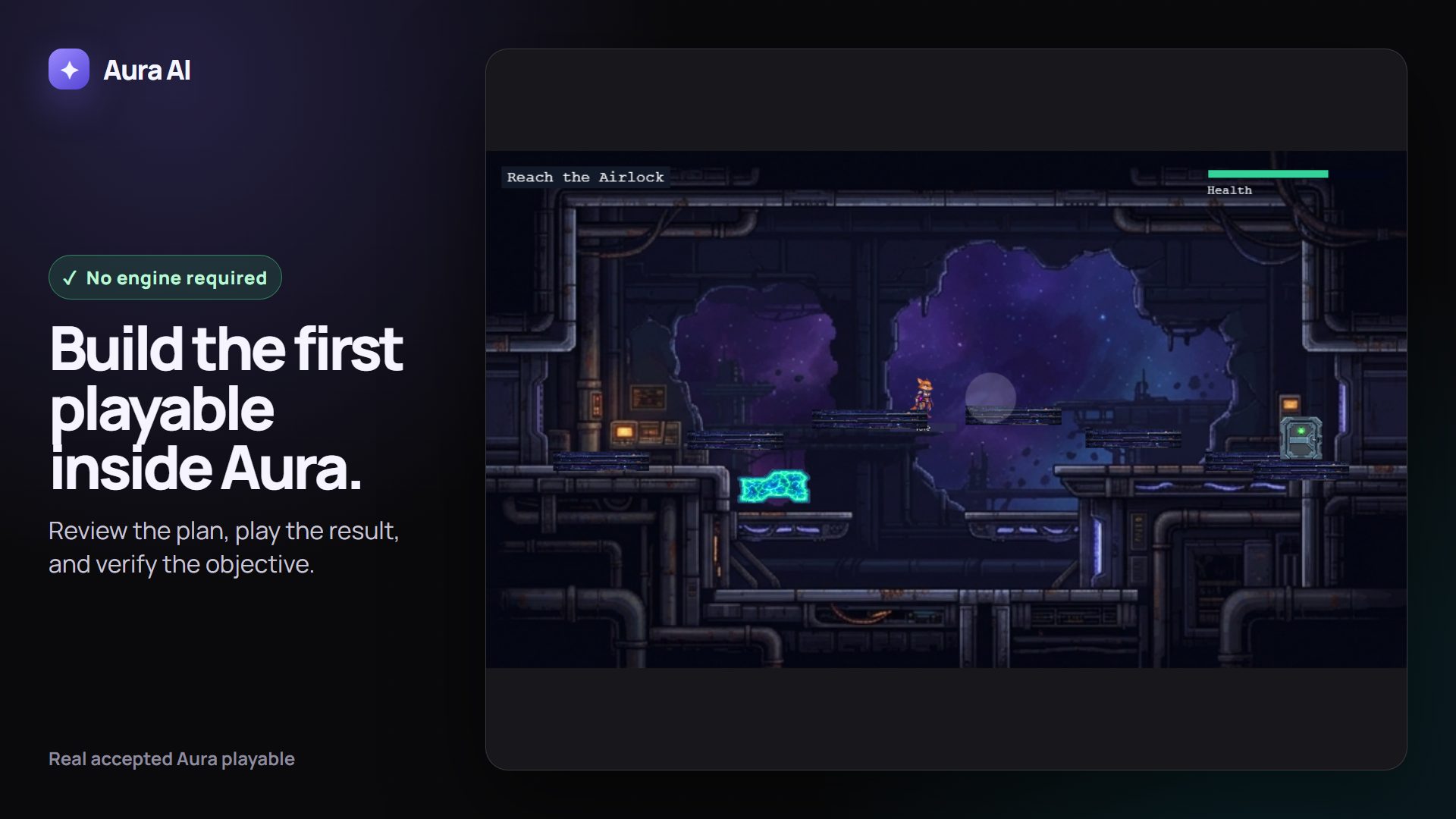
The silent walkthrough could not load. The screenshot and written steps remain available.
The installed Avori playable runs locally: move, jump, defeat the turret, and continue verifying the objective. Read the transcript
What Avori may change
Avori creates a local Avori project workspace and its playable files. It does not download Unity, Godot, or Unreal.
How to verify it worked
Play until you can move, jump, defeat the turret, and continue toward the airlock objective. A picture of the scene alone is not enough.
Undo or recover
Reject the proposal before it runs, or use the offered rollback/recovery control after an approved change.
Common problems
- If no playable appears, keep the error visible and open Settings, Account, then Support; Avori's automatic report can send sanitized technical details.
- If the request is too broad, start with one level and one clear objective.